
Zelda no Densetsu: Toki no Ocarina (Nagasakiya)
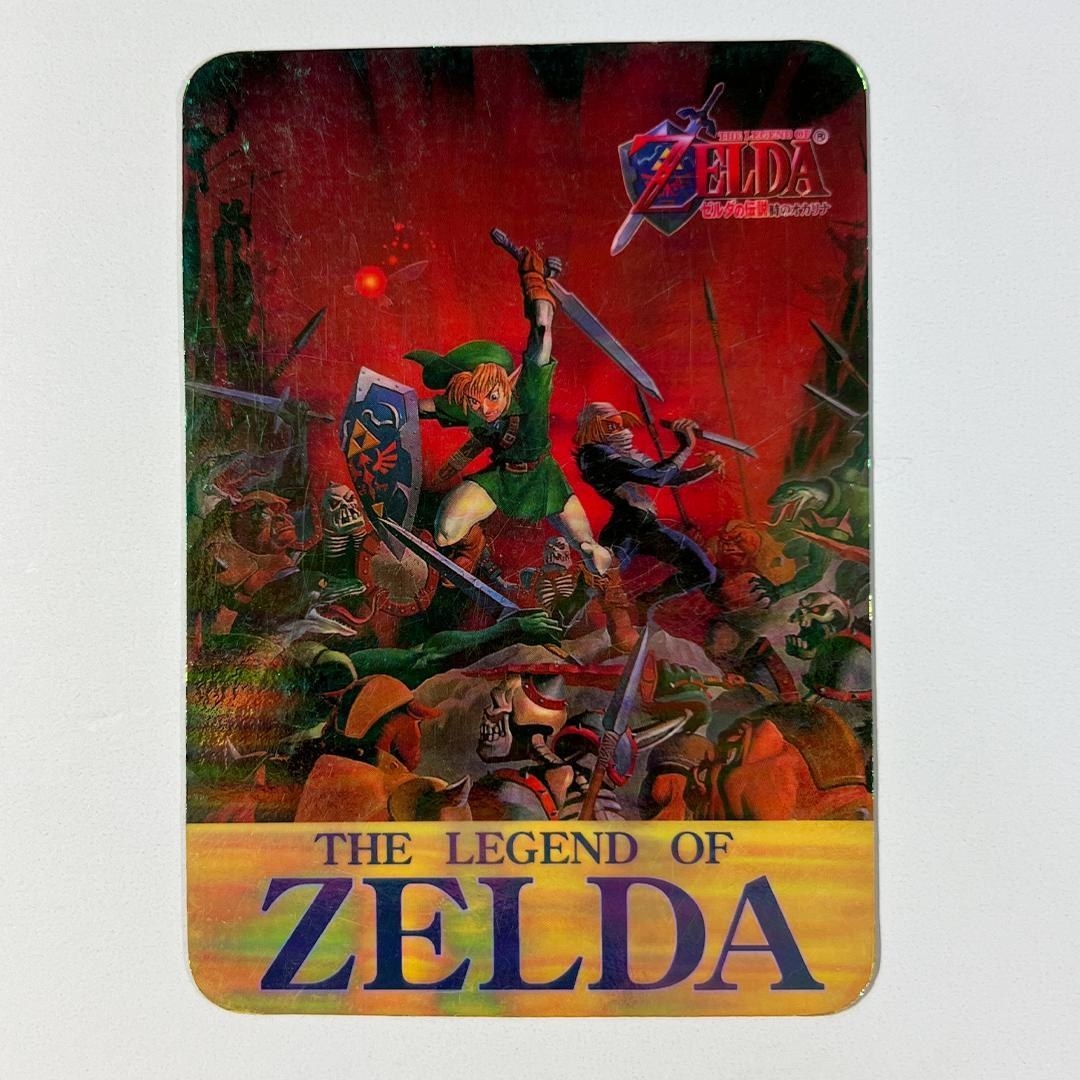
Zelda no Densetsu: Toki no Ocarina (Nagasakiya) — from The Japanese Candy & Vending Pair in the Zelda Cards Gallery.
| Set line | Nagasakiya Ocarina of Time |
|---|---|
| Maker | Nagasakiya (printed by Amada) |
| Country | Japan |
| Released | Late 1998, sold with sweets (shokugan) |
| The pieces | At least 49 cards attested (No.1–No.49) — the true total is unknown |
| Checklist | Partial, permanently — no checklist was ever published |
Japan’s 1998 Zelda candy card: character renders and painted scenes on the fronts, and a uniform, information-dense back — an item guide, a points value and heart icons — that serves as the set’s numbering evidence. Four holographic cards are confirmed by photographic evidence (No.5 Sheik, No.11 Ganondorf, No.25 Link lunging at the viewer, and No.48, the full-bleed battle painting shown here); more are claimed and unconfirmed. No checklist was ever published, so the set can never be proven complete — the attested number range and the photo-confirmed holo list are its honest units.
Nagasakiya issued the cards and Amada printed them; they were sold with sweets, never from vending machines — the vending story belongs to Carddass.
The same battle painting closes the Carddass set as its No.42 — two companies, one painting, the wing’s signature comparison.
The Nagasakiya set, in the Library. What the points and hearts on Nagasakiya backs mean. Is Carddass No.42 the same picture as Nagasakiya No.48?.
Shown here at its verified native size, 1080×1080, the largest honest copy the Library holds for this object.
No verified back has been sighted for this object yet, so it is shown front-only — SOJ never pairs a front with an unverified back. The hunt for the missing backs continues, and each joins its page the week it verifies.
THE FIRST WORD
New pages and new pieces, first.
 Want SOJ on your home screen?
Add SOJ to your home screen
- 1Tap the Share icon in Safari’s toolbar.
- 2Scroll down and tap Add to Home Screen.
- 3Tap Add — SOJ is on your home screen.
- 1Tap the menu (the ☰ icon) and open this page in Safari — Apple only allows home-screen adds from Safari.
- 2Tap the Share icon in Safari’s toolbar.
- 3Scroll down and tap Add to Home Screen, then tap Add.