
Nintendo Game Pack (US)
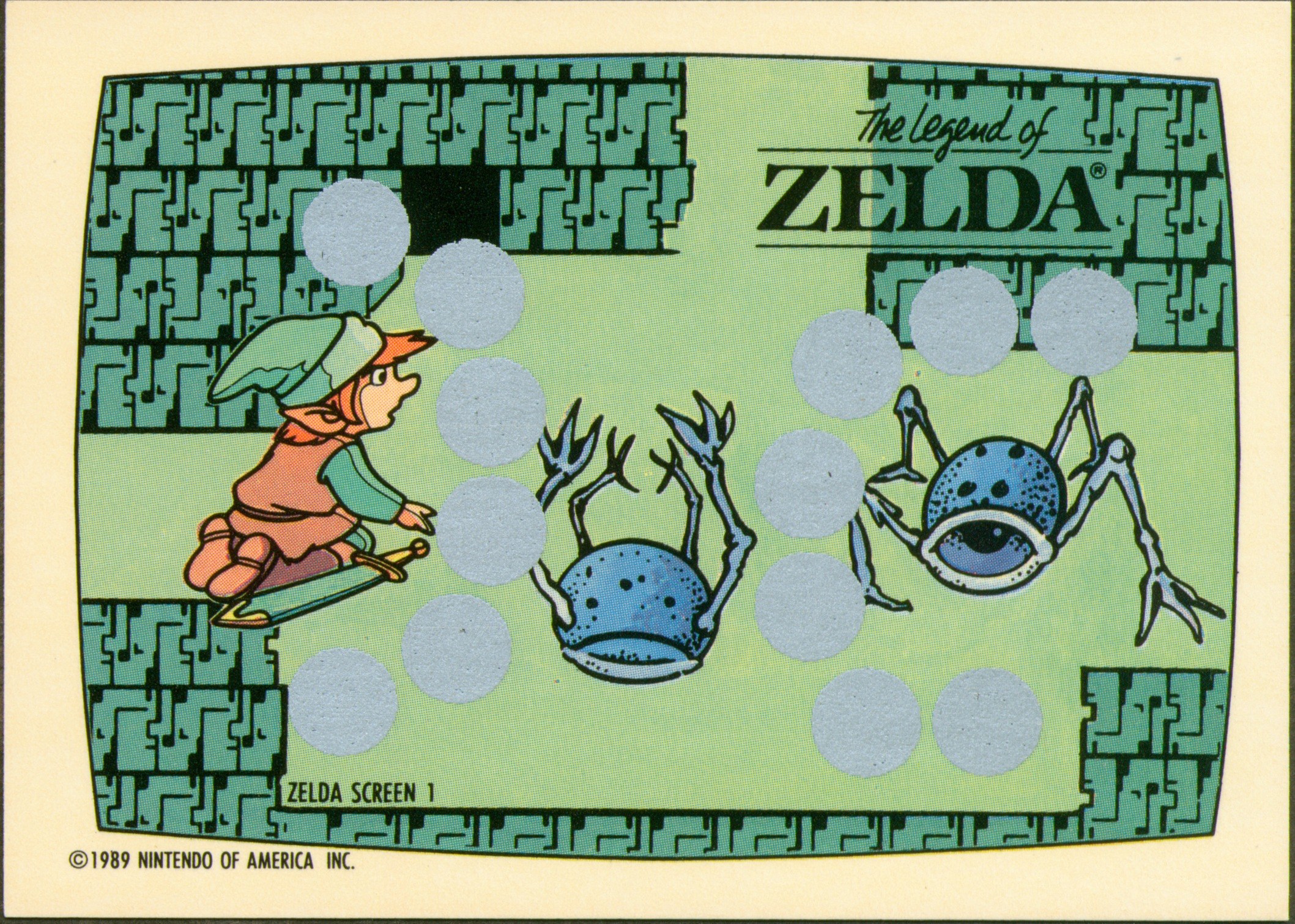
Nintendo Game Pack (US) — from The American Wax-Pack Era in the Zelda Cards Gallery.
| Set line | Topps Nintendo Game Pack |
|---|---|
| Maker | Topps |
| Country | United States |
| Released | 1989 |
| The pieces | 93 pieces — 60 scratch-off game cards + 33 sticker/tip cards |
| Checklist | Complete (published checklist) |
| Identifier | UPC 411600410 |
The first American Zelda card product — and not a Zelda set at all, but a six-game Nintendo set: 60 scratch-off game cards (ten each for Mario 1, Mario 2, Zelda, Zelda II, Punch-Out!! and Double Dragon) plus 33 "Top Secret Tips" sticker cards. Zelda holds 20 of the scratch-off slots and part of the sticker run. The scratch-offs are playable: scratch three swords to advance Link; three fireballs loses. Unscratched copies are the collectible state.
The sticker backs frequently mismatch the sticker art on the front — a documented quirk of the set: the tip printed on the back often belongs to a different moment than the picture.
A PSA 10 copy of sticker #32 is a documented sale of about $1,120 — graded money exists even in the sticker subset.
It is the only card product where Zelda shares a checklist with Double Dragon.
More from this set line: Nintendo Game Pack — Wax Display Box · Nintendo Game Pack — Link Wax Wrapper. The wider trading-card shelf, in the Library.
Shown here at its verified native size, 2117×1511, the largest honest copy the Library holds for this object.
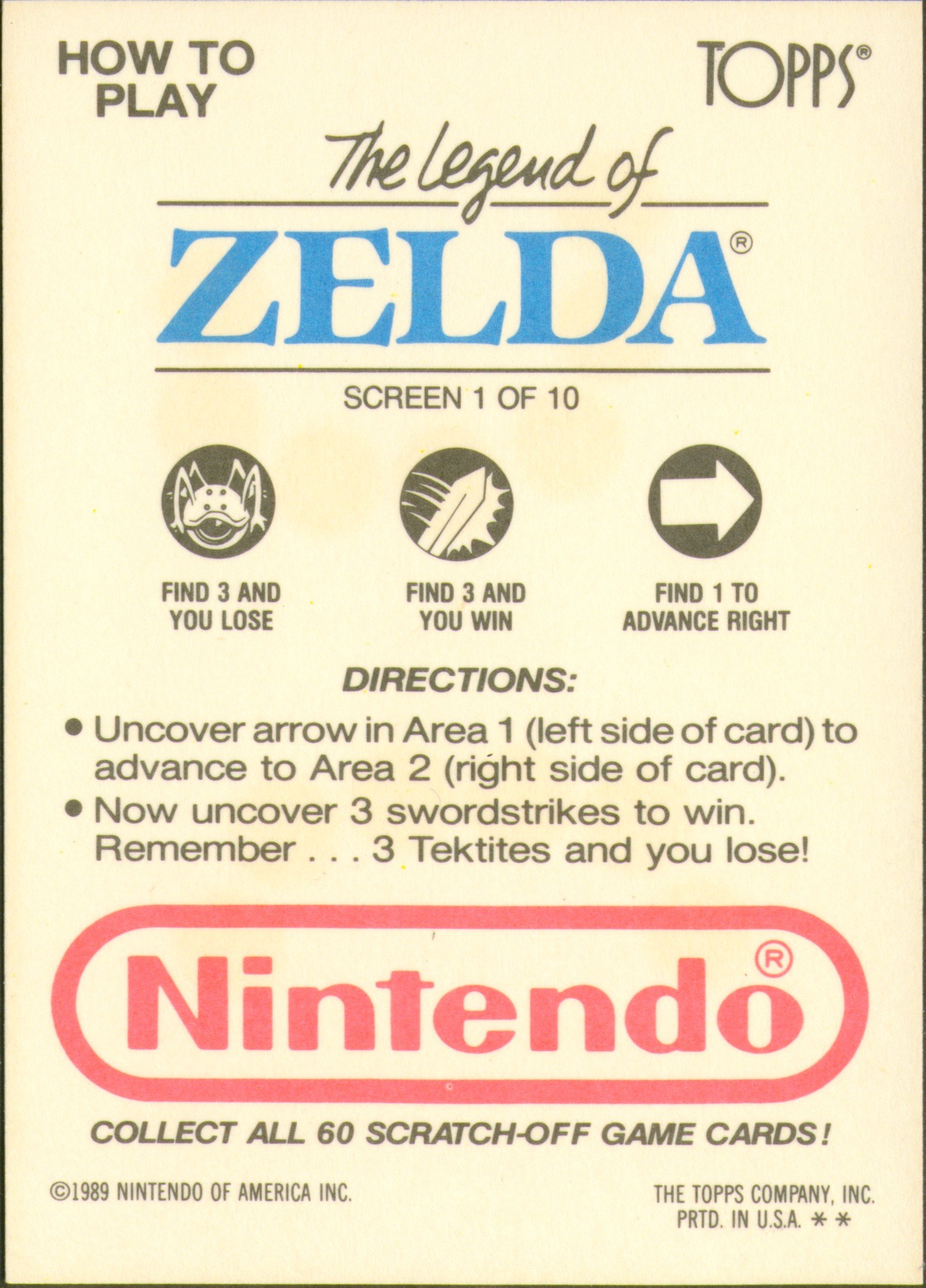
This object's back is verified too: use the flip control on the image to see it.
The back of Zelda Screen 1 is its instruction panel — "HOW TO PLAY · The Legend of ZELDA, SCREEN 1 OF 10": find 3 arrows to advance, and "Remember... 3 Tektites and you lose!" This copy is unscratched, and the panel urges collecting all 60 scratch-off game cards.
THE FIRST WORD
New pages and new pieces, first.
 Want SOJ on your home screen?
Add SOJ to your home screen
- 1Tap the Share icon in Safari’s toolbar.
- 2Scroll down and tap Add to Home Screen.
- 3Tap Add — SOJ is on your home screen.
- 1Tap the menu (the ☰ icon) and open this page in Safari — Apple only allows home-screen adds from Safari.
- 2Tap the Share icon in Safari’s toolbar.
- 3Scroll down and tap Add to Home Screen, then tap Add.